
Whether you’ve just stepped into the role of a Transition Manager, been asked to manage an Application Management Services (AMS) transition for your organization, or simply want to sharpen your transition management skills, this guide will walk you through a proven, step-by-step approach.
Think of this as a roadmap—from the very first kickoff meeting with the client to the point where your team confidently manages services in steady state. By the end of this blog, you’ll not only know the six key phases of a transition but also how to apply the ETVX model (Entry, Task, Validation, Exit) to make sure every phase is airtight before you move on.
The Six Transition Phases
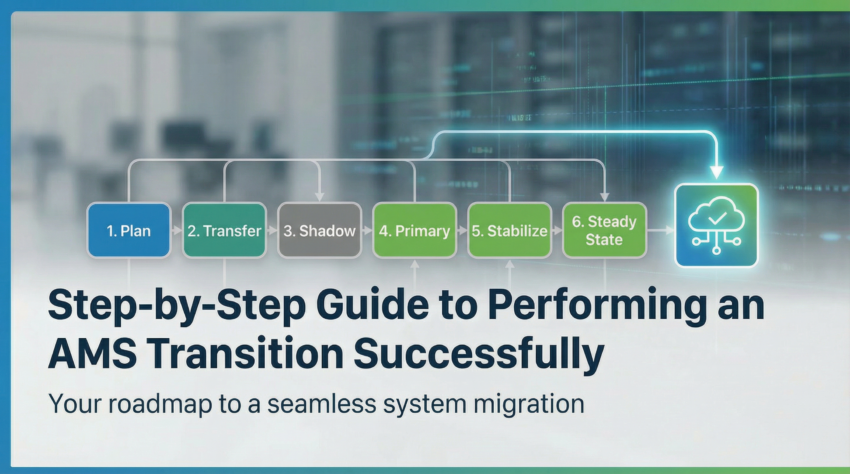
AMS transitions don’t happen overnight. They follow a phased journey where knowledge, accountability, and ownership gradually shift from the incumbent team (Company A) to the new vendor (Company B). Here’s the framework you’ll be using:
- Planning
- Knowledge Transfer
- Secondary Support
- Primary Support
- Stabilization
- Steady State
The ETVX Model
What ties these phases together is the ETVX model:
- E (Entry): What prerequisites must be in place before starting a phase.
- T (Tasks): The activities you perform during the phase.
- V (Validation): The checkpoints to ensure quality and completeness.
- X (Exit): The outcomes or sign-offs needed to move to the next phase.
👉 Example: In the Knowledge Transfer phase, your Entry might be a signed-off transition plan, your Tasks are conducting KT sessions and playbacks, your Validation is feedback and evaluations from SMEs, and your Exit is sign-off on DoUs and SOPs.
The Six Phases with ETVX
Each phase in the AMS transition follows the ETVX framework (Entry, Task, Validation, Exit). This ensures you know exactly what to expect, what to deliver, and when to move forward.
1. Transition Planning
This is your foundation. Without a strong plan, the transition will wobble later.
- Objectives: Define the scope, identify resources, set timelines, and prepare the infrastructure.
- Activities: Study the current environment, build a detailed project plan, prepare documentation templates, finalize communication protocols, and conduct a kick-off meeting with all stakeholders.
👉 Example: Imagine you’re taking over SAP support for a global manufacturing client. At this stage, you’d ensure your team has access to their SAP landscapes, confirm user credentials, and lock in client SMEs’ calendars for upcoming knowledge sessions.
Entry
- Contract/SOW signed off
- Access to environments and applications granted
- Client SME calendar blocked for transition
- High-level transition plan available
Tasks
- Identify and finalize the core team (client, vendor, incumbent)
- Create detailed transition plan and schedule
- Conduct kickoff meeting with stakeholders
- Finalize governance process (Go/No-Go, tollgates)
- Define communication and escalation matrix
- Prepare RAID (Risks, Assumptions, Issues, Dependencies) tracker
- Finalize templates (DoU, SOPs, trackers)
Validation
- Review and sign off transition plan with stakeholders
- Confirm governance and communication processes are agreed upon
- Ensure SME availability is secured
Exit
- Approved detailed transition plan and schedule
- Sign-off on Go/No-Go exit criteria
👉 Example: Before you move forward, check if your team really has access to the client’s ITSM tool. Without it, you’ll hit a dead end in KT.
2. Knowledge Transfer (KT)
This is where you and your team absorb everything about the client’s systems, processes, and people.
- Objectives: Learn the existing environment thoroughly—applications, integrations, business processes, and support practices.
- Activities: Conduct KT sessions, draft Standard Operating Procedures (SOPs), create Documents of Understanding (DoUs), run playback sessions, and secure sign-off.
👉 Example: If the client’s ticketing process involves ServiceNow, your team should practice creating, resolving, and escalating tickets under SME guidance. You’d also create a DoU for “Incident Prioritization” so everyone agrees on what counts as a P1 versus P3 issue.
Entry
- Transition plan signed off
- SMEs and calendars confirmed
Tasks
- Conduct KT sessions on applications, business processes, and tools
- Draft SOPs and DoUs
- Run playback sessions
- Capture client-specific requirements and special cases
- Review functional/technical documentation
Validation
- Playback sessions evaluated against criteria
- DoUs and SOPs reviewed by client SMEs
- Access to ITSM and tools verified
Exit
- Client sign-off on KT phase, DoUs, SOPs, and playback sessions
👉 Example: If you’re supporting SAP, playback could mean showing how to resolve a P2 “Sales Order Stuck” ticket end-to-end, while SMEs validate your approach.
3. Secondary Support
Now you begin testing your knowledge in the real environment, but with training wheels still on.
- Objectives: Get hands-on experience while still relying on the incumbent team for guidance.
- Activities: Take partial ownership of incidents, refine SOPs, identify knowledge gaps, and start risk assessments.
👉 Think of this as a “shadowing phase.” You’re driving the car, but the previous driver (the incumbent team) is still in the passenger seat, ready to grab the wheel if needed.
Entry
- KT phase completed and signed off
- Access verified for production and test environments
Tasks
- Take partial ownership of incidents with SME guidance
- Execute test cases in test environment
- Refine SOPs
- Identify and address knowledge gaps
- Review RAID tracker
Validation
- Test cases successfully executed
- SOP updates reviewed and approved
- Secondary support playback reviewed
Exit
- Service cut-over plan ready
- Client sign-off on secondary support
👉 Example: During secondary support, you might resolve a batch of P3 tickets while SMEs monitor. Once you can handle them confidently, you’re ready for full ownership.
4. Primary Support
This is where ownership truly starts to shift.
- Objectives: Handle in-scope services with little to no support from the incumbent SMEs.
- Activities: Own incidents completely, finalize SOPs, ensure all communication and escalation paths are clear, and prepare for Go-Live.
👉 Example: If an integration between SAP and Salesforce breaks, your team is now expected to troubleshoot and resolve it independently—only reaching out to the incumbent if absolutely necessary.
Entry
- Secondary support successfully completed
Tasks
- Take full ownership of incidents
- Interact with upstream/downstream system owners
- Finalize SOPs, RAID, and onboarding documents
- Prepare operational reports as per SLA templates
- Execute Go-Live cutover plan
Validation
- Final SOPs approved
- Go-Live checklist validated
- Playback validation passed
Exit
- Client sign-off for Go-Live/cutover
- Transition ready to move into stabilization
👉 Example: At this stage, if a high-priority ticket comes in, your team should resolve it independently, only looping in SMEs if there’s a critical blocker.
5. Stabilization
At this point, your team owns the environment, but you’re not yet bound to strict SLAs.
- Objectives: Focus on stabilizing services, addressing recurring issues, and making sure your team can consistently meet KPIs.
- Activities: Review metrics daily, close open knowledge gaps, and gradually build confidence with the client.
👉 Example: If tickets are piling up in certain modules, you might bring in a few extra SME sessions or revise SOPs to improve resolution times.
Objective
- Fully own the environment
- Focus on hitting SLA targets
- Iron out recurring issues
Key Activities
- Operate without SME involvement
- Fine-tune processes based on client feedback
- Start building confidence in meeting agreed KPIs
👉 Think of this like a “test run” where your client measures how reliable your team is before fully trusting you with SLAs.
6. Steady State
This is the finish line of your transition journey.
- Objectives: Deliver services independently, meet SLA/KPI commitments, and shift into a continuous improvement mindset.
- Activities: Regular SLA reporting, proactive problem management, automation opportunities, and suggesting service improvements.
👉 Example: Instead of just resolving incidents, your team now identifies recurring ones (say, password lockouts in SAP) and automates fixes, reducing ticket volume and improving customer satisfaction.
Objective
- Deliver services independently against SLAs/KPIs
- Strive for continuous improvement
Key Activities
- SLA-based services with regular reporting
- End-to-end ownership per contract/SOW
- Suggest automation and service improvements
👉 Example: If you notice 30% of incidents are password resets, you might implement self-service or automation to cut down ticket volume—this is where real value begins.
Wrapping Up
By applying the ETVX model across these six phases, you ensure discipline, accountability, and a clear path to steady state. Instead of rushing or leaving gaps, you move with confidence—knowing your client, your team, and your processes are all aligned.
The transition isn’t just about taking over—it’s about building trust, stabilizing operations, and laying the groundwork for continuous improvement.
